

Quotes and invoices software
Write quotes, confirm orders and issue invoices in the same app, and record the payments against each invoice.

From quote to order
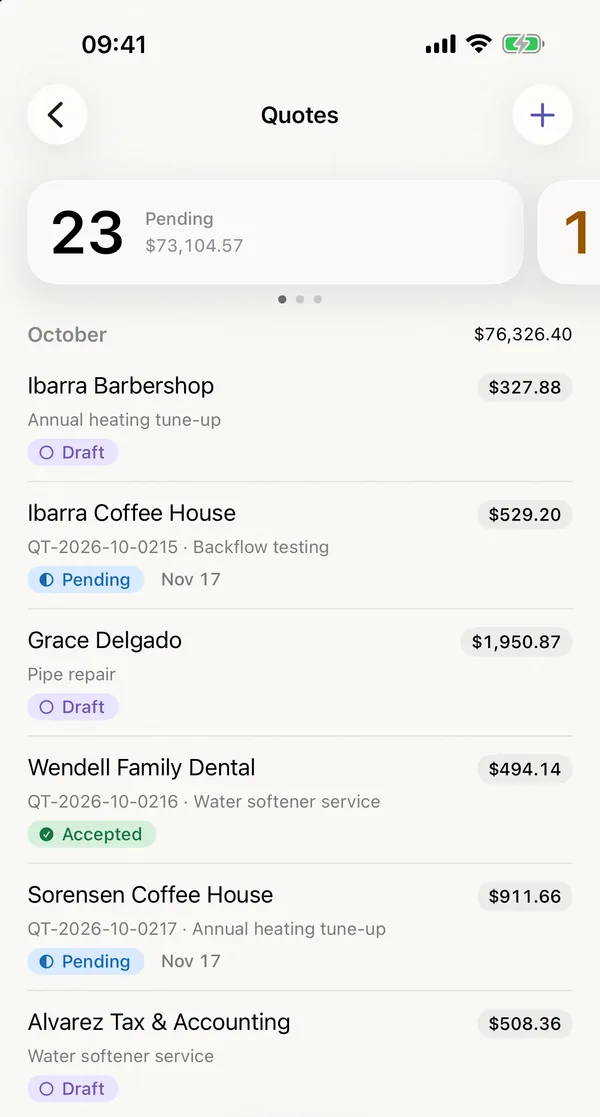
Every quote and order shows its status, from the draft to the accepted order. Optional line items and alternatives appear in the quote without counting towards the total.
Invoices and payments
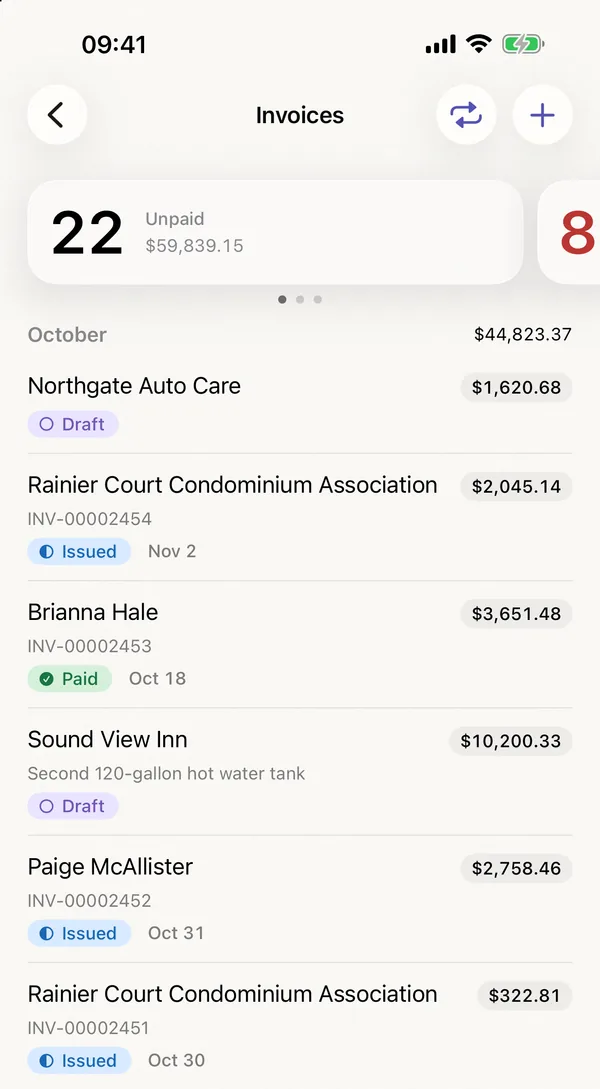
Payments are recorded in full or in part, also with an early payment discount, and you correct an issued invoice by line or by amount, under a number of its own. Overdue invoices get up to three payment reminders, and recurring invoices arrive as drafts for you to check and issue. Invoices in euros with an IBAN in the SEPA area carry a GiroCode that your customer scans with their banking app, and with a SEPA mandate you collect them by direct debit.
Progress and final invoices
For work that runs over weeks, you issue down payment and progress invoices from the order, by percentage, by amount or by progress per line item. The final invoice deducts them with their tax, and a partial final invoice bills a completed part first. A retention appears on the final invoice with its due date, and a collective invoice combines several orders and delivery notes of one customer.
What an invoice looks like
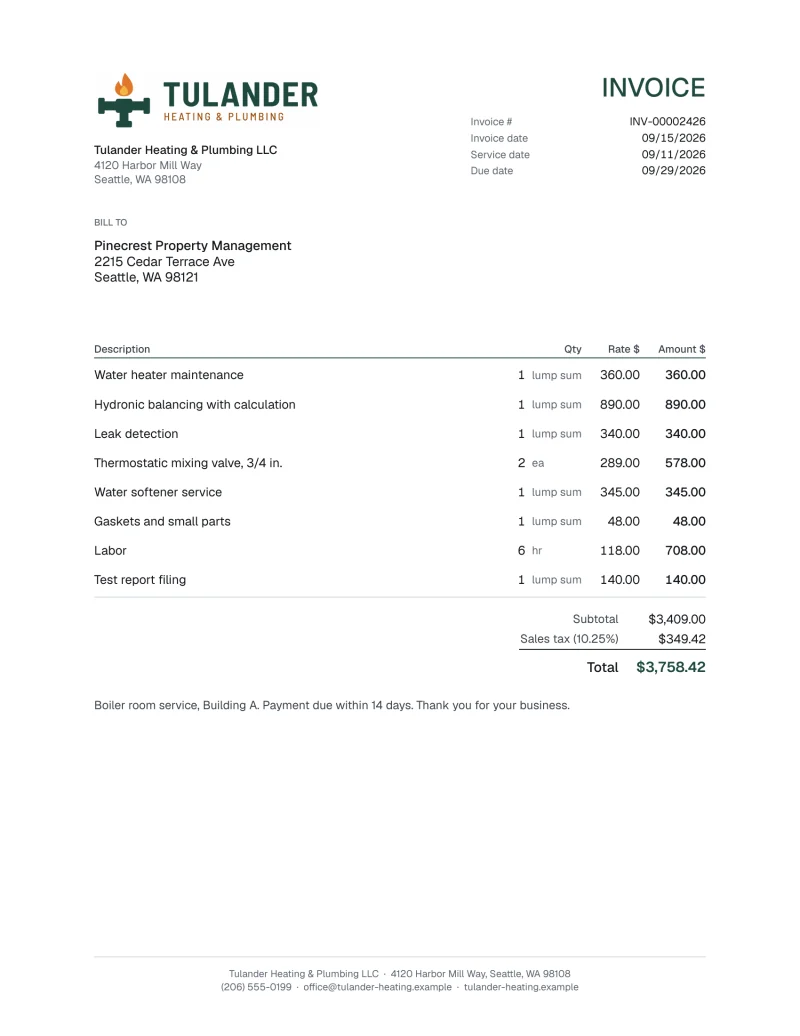
Every invoice leaves ord1nary as a PDF. This is the page your customer receives.
Invoices by country
Invoices in Germany can be issued as e-invoices: a PDF with the XRechnung data embedded, checked against the official validation rules before it is issued. For a number of countries beyond Germany, ord1nary writes their formats and details on the invoice. E-invoices also come as Factur-X and as UBL for Peppol, for example for customers in Belgium, the Netherlands and Austria; ord1nary does not send them itself, for Peppol you use your own access point. Invoices from Switzerland and Liechtenstein carry the Swiss QR-bill. In Japan the invoice becomes a qualified invoice (適格請求書) once you enter your registration number, and in Canada it shows your GST/HST number and, for Québec, QST as a line of its own. In France, small and mid-sized businesses must issue e-invoices through an approved platform (PA) from September 2027, and ord1nary is not connected to one. Companies established in Spain or Portugal cannot issue invoices in ord1nary.
Your AI agent
Set to “Write”, your AI agent, such as ChatGPT or Claude, writes quotes and invoices in ord1nary and issues them. On “Full” it also discards drafts and cancels issued invoices.
How to connect your AI agent
ord1nary in the App Store and in the browser
Every module is included in every plan. Start your subscription in the App Store or in the browser. The first month is free, after that you pay the monthly price of your plan.