

Inventory management software
For your goods, ord1nary keeps articles with prices and units, stock per warehouse and location, purchase orders, goods receipts, delivery notes and stocktaking.

Articles and stock
Variants
Variants come from up to three attributes, such as size and colour, each with its own number, price and stock.
Lots and serial numbers
Lots with expiry dates and serial numbers run from goods receipt to delivery note.
Import
Bring existing articles and suppliers in from a CSV or Excel file - ord1nary checks every row and shows duplicates before anything is saved.
Documents
Contracts, photos and receipts sit right on the customer, the invoice or the article, and ord1nary files issued invoices, quotes and delivery notes by itself.
Production
Production orders use up the parts on their bill of materials and book the finished item into stock. The workload per work centre and the planned against actual cost of each order come with it.
Quotes, orders and invoices
Write quotes, confirm orders and issue invoices in the same app, and record the payments against each invoice.
Quotes and invoices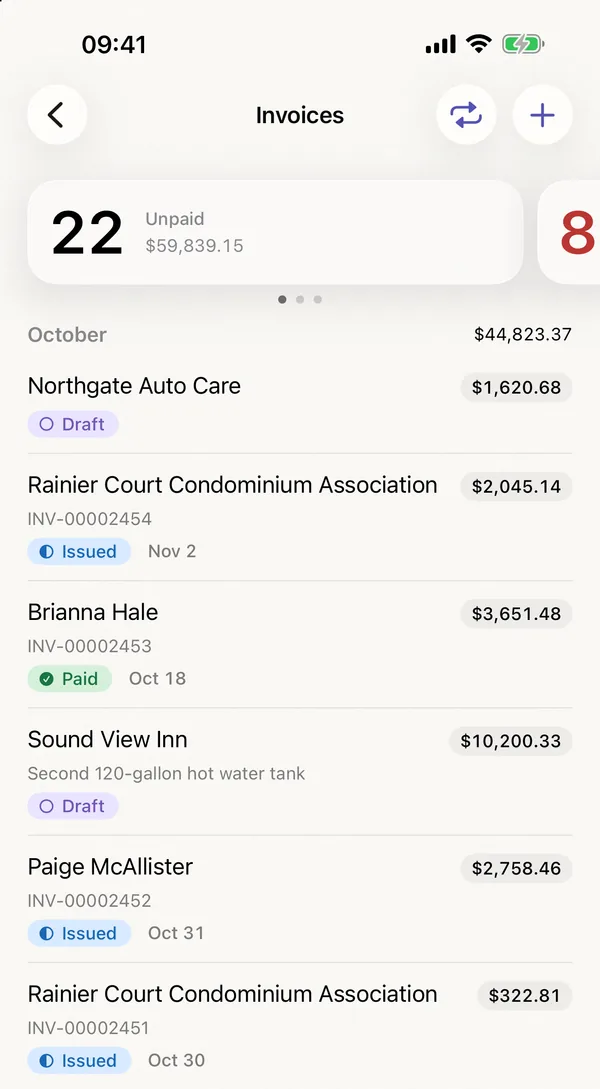
Quality
In the quality module you keep inspection plans and inspections, put goods on hold, record nonconformities and complaints, manage gauges and evaluate your suppliers.

ord1nary in the App Store and in the browser
Every module is included in every plan. Start your subscription in the App Store or in the browser. The first month is free, after that you pay the monthly price of your plan.